 ‘
‘
Most Melbourne businesses buy office furniture without ever checking whether it meets Australian ergonomic standards.
And most of the time, nothing goes wrong. The desks get used. The chairs get sat in. People get on with their work. Life continues.
Until someone hurts their back. Until a WorkCover claim lands on the desk. Until a WHS inspector asks whether your workstations meet Australian standards — and the honest answer is, you’re not actually sure.
Australian ergonomic standards for commercial office furniture exist for a reason. They’re not red tape for the sake of it. They represent decades of research into what workstation setups do to human bodies over time — and what employers can do to prevent the injuries that prolonged, poorly configured desk work causes.
This guide is for anyone who specs, buys, or manages commercial office furniture in Australia. Business owners. Office managers. HR teams. Fitout project managers. Anyone who wants to buy with confidence that what they’re getting is genuinely fit for commercial use — and that it protects both their people and their business.
By the end, you’ll know exactly what the relevant standards are, what they require, how to verify compliance before you buy, and what happens when businesses get this wrong.
Why Ergonomics Matters in the Australian Commercial Office Context
Let’s start with the scale of the problem — because a lot of business owners genuinely don’t know how significant it is.
Musculoskeletal disorders — injuries and conditions affecting muscles, bones, joints, tendons, and ligaments — are the most common category of workplace injury in Australia. They account for around 37% of all serious workers compensation claims nationally. The direct cost to Australian businesses runs into the billions each year. And a significant portion of those injuries originate in office environments, from workstations that aren’t set up correctly, from furniture that doesn’t adjust properly, or from equipment that wasn’t designed for all-day commercial use.
Back pain. Neck pain. Repetitive strain injury in wrists and forearms. Shoulder complaints from poor armrest positioning. These aren’t dramatic workplace accidents. They develop slowly, over weeks and months, from small physical stresses repeated thousands of times a day at a workstation that wasn’t quite right.
The Business Case for Getting This Right
The direct costs are obvious once a claim lands — WorkCover premiums, medical costs, compensation payments, legal exposure if an employer is found to have failed their duty of care. These numbers can be substantial.
The indirect costs are often larger and less visible. Sick leave from employees managing chronic pain. Reduced productivity from people working through discomfort rather than reporting it. Staff turnover when employees decide their workplace isn’t worth the physical toll. The cost of finding, hiring, and training a replacement.
And there’s a positive case too. Businesses that invest properly in ergonomic workstations — and can show their team they’ve done so — have a genuine advantage in competitive employment markets. Melbourne’s professional services, technology, and creative sectors all compete hard for good people. A workspace that demonstrably supports employee health is a recruitment and retention tool.
The Legal Framework — What Employers Are Required to Do
The Work Health and Safety Act 2011 (Commonwealth) imposes a primary duty of care on employers to ensure the health and safety of workers so far as is reasonably practicable. In Victoria, the Work Health and Safety Act 2020 mirrors this framework.
“So far as is reasonably practicable” is the key phrase. It doesn’t mean doing everything possible regardless of cost. It means doing what a reasonable employer, in full knowledge of the risk, would do to eliminate or minimise it. And when it comes to ergonomic risk from workstation furniture, the existence of clear Australian Standards and Safe Work Australia guidance means employers have ready access to what “reasonably practicable” looks like in practice.
In simple terms: if Australian Standards exist for the furniture you’re buying, specifying furniture that doesn’t meet those standards is hard to defend if someone gets hurt. The standard exists. You had access to it. You chose not to apply it. That’s a difficult position to be in before a WHS regulator or a compensation tribunal.
The Australian Standards That Apply to Commercial Office Furniture
Australian Standards are documents published by Standards Australia that set out requirements for products, services, and systems. In the office furniture context, the relevant standards are developed in cooperation with New Zealand and are published as AS/NZS (Australian/New Zealand Standard) documents.
Most Australian Standards for commercial furniture are technically voluntary — they’re not written directly into law. But “voluntary” doesn’t mean optional in a WHS context. When a standard exists and is publicly available, it defines what best practice looks like. Buying furniture that doesn’t meet the standard, when the standard was available and applicable, becomes very difficult to justify if an injury results.
AS/NZS 4438:1997 — Height-Adjustable Swivel Chairs
This is the most important standard for anyone buying task chairs for a commercial office in Australia. It covers the dimensional requirements, mechanical performance, structural integrity, and ergonomic adjustability that office chairs must meet.
Key requirements under AS/NZS 4438 include:
- Seat height adjustment range of at least 390–520mm from the floor (to accommodate different body heights in a seated position)
- Seat depth that can be adjusted or is within the range of 380–420mm
- Lumbar support that is adjustable in height and provides appropriate lower back support
- Armrests that adjust in height (and ideally width and pivot) to allow proper shoulder positioning
- Five-star base (a four-star base fails the stability requirements of this standard)
- Load testing and stability testing to specified loads without failure
The standard also covers the mechanical durability of adjustment mechanisms — the number of cycles a chair must complete without failure. A chair that meets AS/NZS 4438 has been tested to perform under the demands of genuine commercial use, not occasional residential use.
When a supplier claims a chair is “ergonomic,” ask specifically whether it meets AS/NZS 4438. That question separates chairs that have been properly tested from chairs that have been given a marketing label.
AS/NZS 4442:1997 — Office Desks
AS/NZS 4442 sets out the requirements for office desks used in commercial environments. It covers dimensional requirements, structural integrity, surface finish, and functionality.
Key requirements under AS/NZS 4442 include:
- Working surface height requirements appropriate for seated office work (typically 720–730mm for fixed desks)
- Minimum knee clearance dimensions — the space under the desk must allow a user to sit with legs comfortably positioned without contact with the desk frame
- Minimum working surface area requirements to allow proper monitor placement, keyboard positioning, and working space
- Surface finish specifications — low-glare surfaces, appropriate colour contrast to reduce eye strain
- Structural load requirements — desks must support typical commercial loads without deflection or failure
For height-adjustable desks, the standard requires that adjustment mechanisms operate safely and reliably, and that the desk maintains stability and structural integrity across its full adjustment range. This is particularly relevant when evaluating sit-stand desks — the stability at maximum standing height is a compliance requirement, not just a comfort consideration.
AS/NZS 4443:1997 — Office Panel Systems
AS/NZS 4443 covers office partitions, screens, and panel systems — the elements used to divide workspaces and create privacy within commercial office environments.
The standard addresses structural stability (panels must not tip or collapse under specified loads), connection requirements between panels and desk systems, acoustic performance provisions, and the integration of services (power, data) within panel systems.
For Melbourne businesses installing workstation-mounted privacy screens or full office partition systems, AS/NZS 4443 is the relevant standard to specify compliance against.
AFRDI Certification — The Independent Testing Standard
Beyond the AS/NZS standards framework, AFRDI — the Australasian Furniture Research and Development Institute — provides independent, third-party testing and certification for furniture products. AFRDI certification is the most reliable quality signal available to Australian commercial furniture buyers.
Here’s what makes AFRDI different from self-declared compliance. When a supplier says “our chair meets AS/NZS 4438,” that claim may be based on nothing more than the supplier reviewing the standard and deciding their product is probably compliant. AFRDI certification means the actual product has been physically tested by an independent laboratory to the relevant standard — and passed.
AFRDI uses a tiered level system that tells you the intensity of commercial use the product has been tested for:
- Level 4 — Domestic: residential furniture. Not appropriate for commercial office use.
- Level 5 — Commercial Light Duty: suitable for low-traffic commercial environments. Borderline for most Melbourne offices.
- Level 6 — Commercial Heavy Duty: the standard minimum for most commercial office environments. This is what you should be specifying for workstation chairs and desks.
- Level 7 — Extra Heavy Duty: high-traffic environments, public spaces, 24-hour use. Appropriate for co-working spaces, call centres, and facilities with constant occupancy.
The AFRDI Blue Tick is a further quality certification that indicates a product has met AFRDI’s comprehensive testing requirements. Government agencies, healthcare organisations, and educational institutions increasingly require Blue Tick certification as a procurement condition. For private sector Melbourne businesses, the Blue Tick is a reliable indicator of products that have been through rigorous independent testing.
To verify AFRDI certification before purchasing: ask your supplier for the AFRDI certificate number for the specific product. Check the AFRDI product register at afrdi.com.au. If a supplier makes vague references to “meeting AFRDI standards” without a certificate number, treat that claim with caution.
Other Relevant Standards and Guidelines
A few other standards and guidelines are worth knowing about in the Australian commercial office context.
Safe Work Australia’s Code of Practice: Hazardous Manual Tasks addresses the ergonomic risk of tasks that involve repetitive or sustained movement, awkward postures, or forceful exertions. In an office context, this is directly relevant to workstation setup — poorly positioned keyboards, screens at wrong heights, and non-adjustable chairs all create the conditions this code is designed to prevent.
Safe Work Australia’s guide Managing the Risks of Sitting at Work is specifically relevant to office environments. It provides practical guidance on workstation setup, sitting time management, and the selection of ergonomic furniture.
ISO 9241 — Ergonomics of Human-System Interaction is an international standard series that covers ergonomic requirements for display screens, keyboards, and workstation setups. While it’s an ISO standard rather than an AS/NZS one, it’s widely referenced in Australian ergonomic assessments and provides useful technical benchmarks for screen positioning and workstation configuration.
AS/NZS 3000 — Wiring Rules governs electrical installation in Australian buildings, which has indirect relevance to office workstations when it comes to the positioning of power outlets, the installation of under-floor power systems, and the electrical safety of powered sit-stand desk mechanisms.
Ergonomic Requirements by Furniture Category — What You Actually Need to Know
Office Chairs — Where Compliance Matters Most
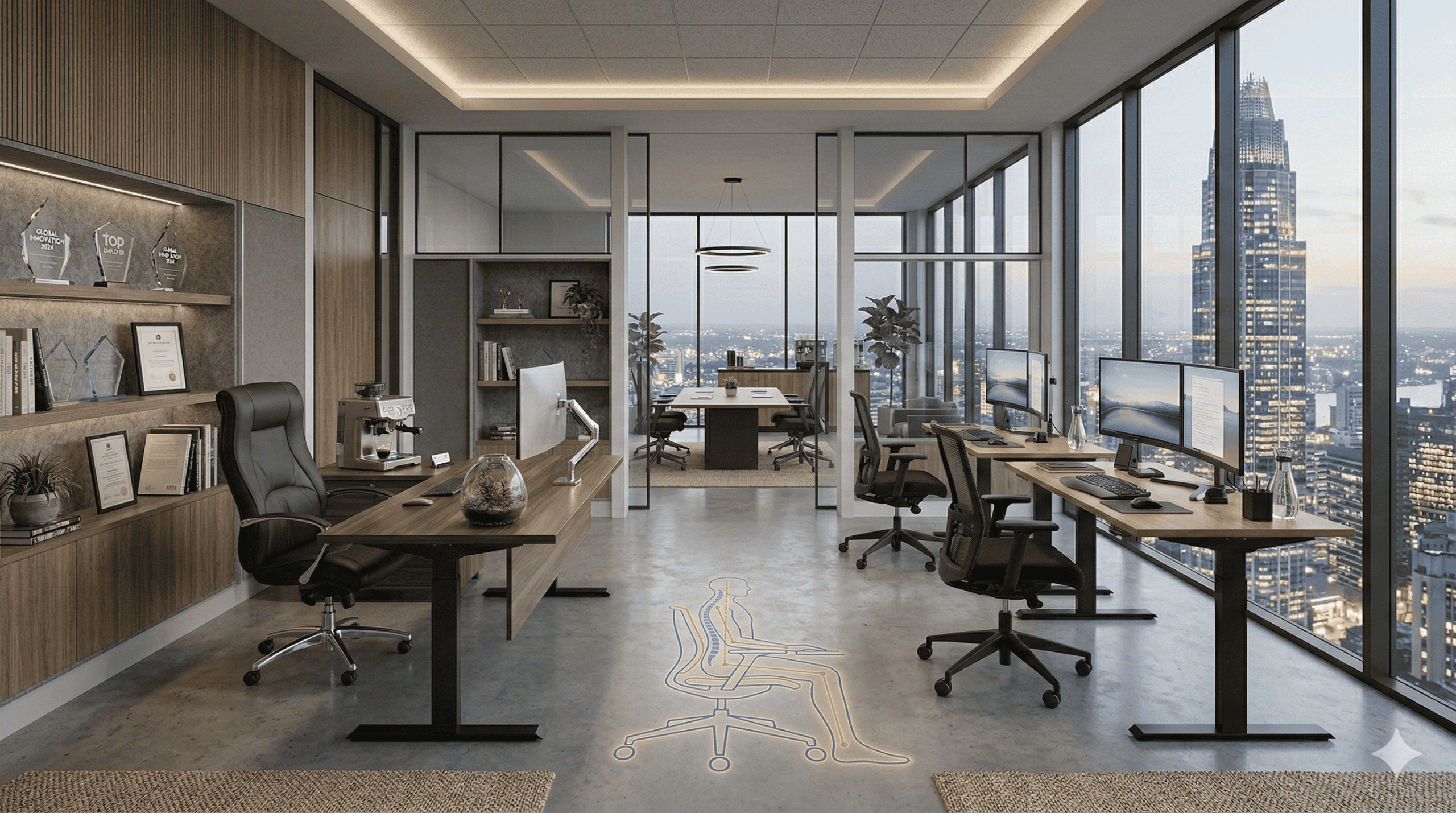
The chair is the most ergonomically critical piece of furniture in any office. A person who sits in an office chair for seven or eight hours a day has around 1,500 hours of contact with that chair per year. If it doesn’t support their body correctly, the cumulative effect on their musculoskeletal health is significant.
Here’s what a genuinely compliant, genuinely ergonomic task chair needs to provide:
Seat height adjustment is the most basic requirement — and a surprising number of budget task chairs fail it. The standard requires a height range sufficient to allow users of different heights to position their feet flat on the floor with knees at approximately 90 degrees. For most Australian adults, this means a range of roughly 390–520mm. If a chair’s height range doesn’t cover this, it can’t be correctly set up for users at the shorter or taller ends of the height spectrum.
Seat depth — the distance from the front edge of the seat to the backrest — significantly affects whether a user can sit back against the lumbar support while still having their knees clear of the front edge. A seat that’s too deep forces shorter users to either perch on the front edge (losing lumbar support) or press their calves against the front edge (restricting circulation). Proper seat depth adjustment, or selection of a chair with the right seat depth for your team’s range of body sizes, is a compliance consideration.
Lumbar support must be adjustable in height to match the natural lumbar curve of different users. A fixed lumbar pad at a single height provides good support for some users and none for others. Adjustable lumbar support is required under AS/NZS 4438, and it’s also just functionally important for chairs used by a range of different people.
Armrests matter more than most buyers realise. Poorly positioned armrests — too high, too low, too far apart — create shoulder and neck strain that shows up as complaints months after the furniture was installed. Compliant armrests should adjust in height at minimum. Better commercial chairs also offer width adjustment and pivot (rotation) to accommodate different arm positions and work styles.
The five-star base requirement is non-negotiable under AS/NZS 4438. A four-star base doesn’t pass the stability testing in this standard. It’s a simple thing to check on a specification sheet and easy to overlook when you’re comparing products primarily on price and appearance.
Back tilt mechanism with adjustable tension allows users to recline slightly during extended seated periods — a movement that relieves spinal compression and is associated with reduced fatigue in prolonged desk work. A chair that locks in a single upright position denies users this benefit.
Office Desks — What Compliance Requires
A compliant commercial office desk under AS/NZS 4442 is one that provides the correct working height, adequate surface area, sufficient leg clearance, and a surface finish appropriate for sustained visual work.
Working height is the most fundamental dimension. The standard desk height of 720–730mm suits a user of average height sitting in a correctly adjusted chair. But “average height” is a limited concept when your team spans a range of body sizes. For offices with significant height variation in the workforce, height-adjustable desks are the ergonomically correct solution — they meet the standard across a wider range of users than any fixed height can.
Knee clearance under the desk matters for posture and circulation. The standard specifies minimum dimensions for the space below the working surface. Desks with drawers, CPU holders, or cable management units mounted in this space can reduce knee clearance below the compliant minimum — something to check when speccing desks with integrated storage.
Surface area requirements reflect the space needed to position a monitor at an appropriate distance, a keyboard at the correct height, and documents or secondary materials within comfortable reach. Undersized desk surfaces force compromises in workstation setup that create ergonomic risk.
Surface finish specifications under AS/NZS 4442 address glare reduction and colour. High-gloss desk surfaces create reflective glare that contributes to eye strain. The standard specifies a matte or low-glare finish appropriate for office environments where screens are in use.
Monitor and Screen Positioning — Where Ergonomic Setups Most Often Go Wrong
The desk and chair can be perfectly compliant and the workstation still ergonomically poor if the monitor is positioned incorrectly. Screen positioning is where Australian office workstations most commonly fail in practice.
Monitor height should place the top of the screen at approximately eye level when the user is seated in correct posture. A monitor that’s too low causes the user to drop their head forward — creating the forward head posture that’s one of the leading causes of neck and upper back pain in office workers. A monitor that’s too high forces the neck into extension. The difference between correct and incorrect monitor height can be as little as 50–100mm, but the cumulative impact over hundreds of hours is significant.
Monitor distance from the seated user should typically be arm’s length — approximately 500–700mm. Screens that are too close cause eye strain. Screens that are too far away cause users to lean forward, compromising posture.
Laptop use without an external monitor or stand is one of the most ergonomically problematic configurations in modern offices. The screen on a laptop is physically attached to the keyboard — so when the keyboard is at the correct typing height, the screen is too low, and when the screen is at the correct height, the keyboard is too high. Laptops used as primary workstations without an external monitor, a laptop stand, and an external keyboard do not meet ergonomic workstation standards. This is increasingly relevant in Melbourne offices where hybrid working has increased laptop use.
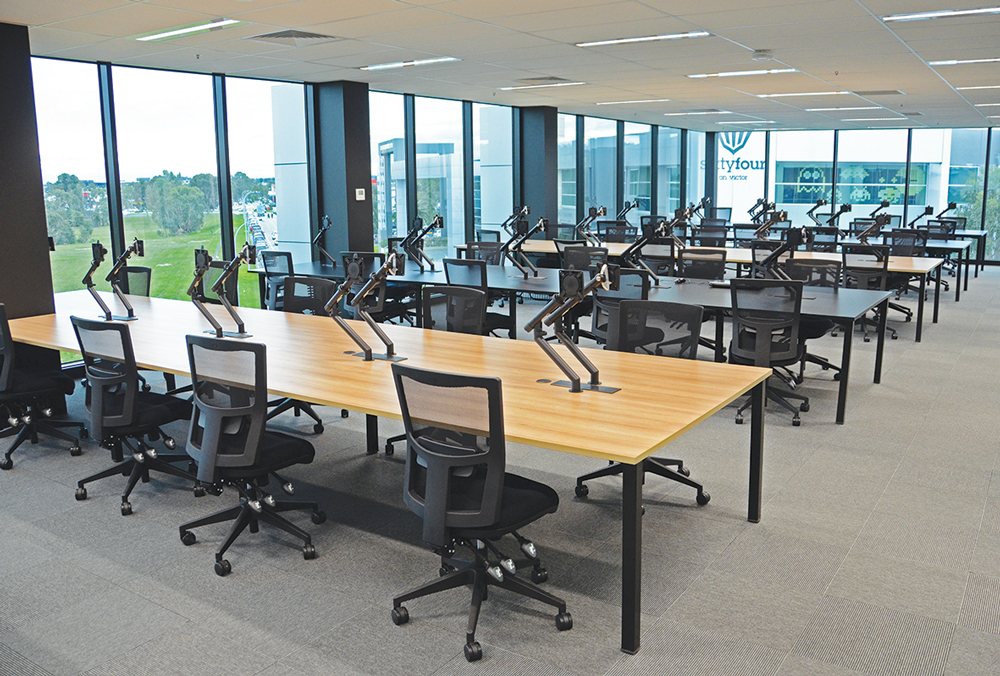
Monitor arms are an underused solution that significantly improves workstation ergonomics. They allow the screen to be positioned at exactly the right height, distance, and angle for each individual user — and to be repositioned easily as users change or as the workstation setup evolves. For sit-stand desks in particular, a monitor arm that adjusts with the user’s position changes is much better ergonomically than a monitor on a fixed stand.
Meeting Room Furniture — A Compliance Area Often Overlooked
Ergonomic standards for meeting rooms get less attention than workstation standards — probably because people spend less continuous time in meeting rooms than at their desks. But for employees who spend significant parts of their day in meetings, the furniture quality matters.
Meeting tables should be at a height that allows seated users to have their arms at approximately desk height without shoulder elevation. Standard table height of 720–740mm suits this requirement for most users.
Meeting room chairs need to be comfortable for sessions that can run 1–3 hours. A chair that’s acceptable for a 20-minute visitor interaction becomes actively uncomfortable in a two-hour board meeting. Commercial meeting room chairs should provide basic lumbar support and seat padding appropriate for extended sitting — not just visual appeal.
Video conferencing setups in meeting rooms have introduced a new ergonomic consideration — the positioning of screens for video calls. A screen positioned too high or too low during a long video meeting creates sustained neck strain equivalent to a poorly positioned workstation monitor.
Reception Area Furniture — Compliance for Staff, Not Just Visitors
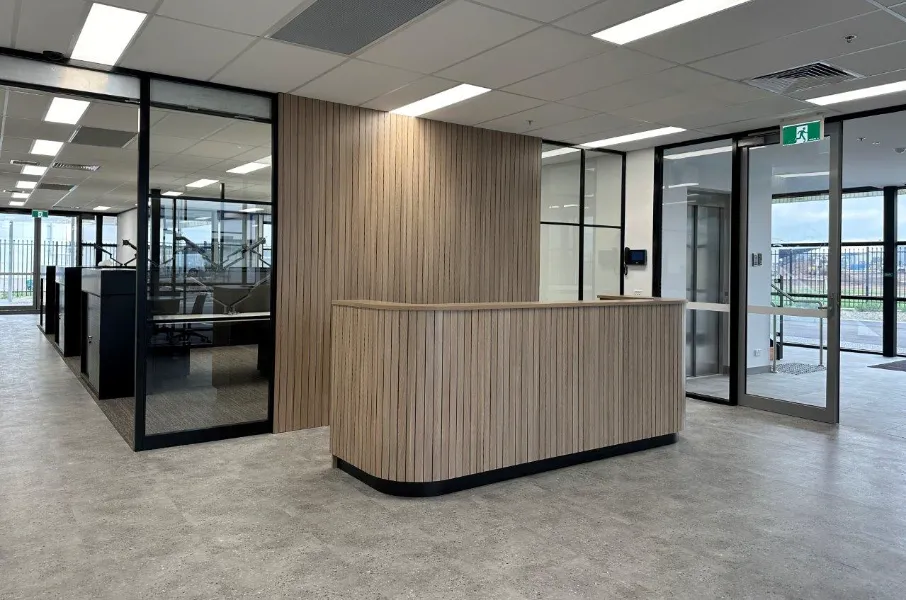
Reception desks often get specified primarily on aesthetic grounds — they’re the first thing visitors see, so they tend to attract design attention. But reception staff spend their entire workday at or behind that desk. Ergonomic compliance for reception furniture is a WHS obligation for the employees who work there.
A reception desk used by a seated staff member needs to meet the same fundamental requirements as a regular office desk — correct working height, adequate knee clearance, appropriate surface area. A dual-height reception counter — with a lower work surface at desk height for the staff member and a higher counter at standing height for visitor interaction — is the ergonomically correct solution for most reception configurations.
Safe Work Australia Guidelines and WHS Compliance
What the Employer Duty of Care Actually Requires in Practice
The WHS duty of care is sometimes misunderstood as a requirement to eliminate all possible risk. That’s not what it says. The duty is to eliminate or minimise risk so far as is reasonably practicable.
In the context of ergonomic furniture, this means: buying furniture that meets Australian Standards where those standards exist, setting workstations up correctly, providing training to employees on correct workstation adjustment, and reviewing workstation setups when circumstances change.
It also means consulting with workers. The WHS legislation requires employers to consult with workers about health and safety matters that affect them. For a new office fitout or a furniture upgrade, that means getting input from the people who will use the furniture — before the order is placed, not after.
Safe Work Australia’s Code of Practice — Computer Workstations
Safe Work Australia’s Code of Practice for office-based computer workstations provides practical guidance that goes beyond just the furniture specification. It addresses the full workstation setup — not just whether the chair and desk meet the standard, but whether the setup is correctly adjusted for the individual user.
Key provisions include requirements to conduct workstation assessments, to provide adjustment instruction to employees, and to review setups when employees report discomfort or when circumstances change. The Code makes clear that buying compliant furniture is necessary but not sufficient — the way the furniture is set up and used determines whether the ergonomic benefit is actually realised.
This is one of the most practically important things for Melbourne businesses to understand. You can buy chairs that fully comply with AS/NZS 4438 and desks that fully comply with AS/NZS 4442 — and still have a non-compliant workstation setup if those items aren’t adjusted correctly for the person using them.
Workstation Assessments — When They’re Required
A workstation assessment is a structured review of an individual’s workstation setup against ergonomic standards. It looks at chair adjustment, desk height, monitor position, keyboard and mouse placement, lighting, and the relationship between all of these.
Workstation assessments are most commonly triggered by: a new office fitout (all new workstations should be assessed for the initial users), onboarding of new employees, a complaint or report of discomfort or pain from an existing employee, return to work after a musculoskeletal injury, and significant changes to the workstation setup such as new equipment or new furniture.
Who can conduct a workstation assessment? For routine assessments in standard commercial office environments, a trained WHS officer or OHS representative with workstation assessment training can do the job. For complex cases — pre-existing conditions, injuries under investigation, disputed WorkCover claims — a qualified ergonomist provides a higher level of assessment and documentation.
Reasonable Adjustment — When Ergonomic Furniture Is a Legal Requirement
Under Australian disability discrimination law, employers are required to make reasonable adjustments to accommodate employees with disabilities or health conditions. In an office context, this often means providing specialised ergonomic furniture.
Specialised task chairs with additional lumbar support or customised adjustment ranges. Footrests for shorter employees who can’t reach the floor comfortably in a standard workstation. Document holders to reduce neck rotation for employees with neck conditions. Height-adjustable desks for employees who can’t sustain long periods of sitting due to back conditions.
These aren’t optional extras when an employee identifies a need for them. They’re adjustments that an employer is legally required to consider and provide, unless doing so would impose unjustifiable hardship. In practice, most individual ergonomic adjustments for office workstations are relatively modest in cost and clearly within the range of “reasonable.”
How to Specify Ergonomically Compliant Furniture for Your Melbourne Office
Step 1: Understand Your WHS Obligations Before You Buy
Before you engage a furniture supplier or a fitout company, spend time understanding what your WHS obligations actually require for your specific situation.
If you already have a WHS management system, review how it addresses ergonomic risk. If you’re starting from scratch in a new office, speak with your WHS advisor or a workplace ergonomist before the fitout brief is finalised. Get ergonomic requirements into the brief from day one — it’s much cheaper to specify correctly from the start than to replace non-compliant furniture after installation.
If you have existing employees with known ergonomic requirements or injury histories, identify these early and make sure your furniture specification addresses them. Don’t discover that someone needs a specialist chair after the standard chairs have been delivered and installed.
Step 2: Build a Standards Checklist by Furniture Category
For each category of furniture you’re purchasing, know which standards apply and what compliance looks like. For task chairs: AS/NZS 4438 and AFRDI Level 6 minimum. For desks: AS/NZS 4442 and AFRDI Level 6 minimum. For panel systems and partitions: AS/NZS 4443.
Put these requirements in writing — in your furniture brief, in your supplier communications, and in the terms of any purchase agreement. “Comply with AS/NZS 4438” in a purchase order is a specific, enforceable requirement. “Ergonomic” is a marketing term with no legal meaning.
Step 3: Ask the Right Questions of Your Supplier
The questions that matter most:
- Does this chair comply with AS/NZS 4438? Can you provide documentation?
- What AFRDI certification level does this product hold? Can you provide the certificate number?
- Has this product been independently tested by a third party, or is compliance self-declared?
- What is the warranty on structural components? What does it cover and what voids it?
- What installation and setup support do you provide? Is there ergonomic orientation for employees?
A supplier who can’t answer these questions clearly and specifically is a supplier to be cautious about. The difference between “designed to comply” and “independently tested and certified to comply” is significant in a WHS context.
Step 4: Test Before You Buy in Bulk
We’ve said this in our furniture buying guides and we’ll say it again here because it’s particularly important in an ergonomic compliance context: test chairs before committing to a bulk purchase.
Compliance with AS/NZS 4438 means the chair has been tested to specified mechanical and dimensional requirements. It doesn’t mean the chair will work well for every body type in your workforce. A chair that passes the standard’s height range test may still not provide adequate lumbar support for a 190cm team member. A chair that’s comfortable for an average-height user might have insufficient seat depth for a taller person.
Get sample chairs and have a representative range of your team use them for a full working week. This is the only way to confidently commit to a bulk purchase.
For sit-stand desks, test stability at the maximum standing height — not just at seated height. A desk that’s stable when set at 730mm may wobble noticeably at 1,250mm, particularly with a heavier monitor setup. This is a compliance issue under AS/NZS 4442 and a practical problem for daily use.
Step 5: Installation and Setup — Compliance Doesn’t End at Delivery
This is the step that most businesses skip — and it’s the one that determines whether the ergonomic investment actually delivers its intended benefit.
Delivering compliant furniture to a Melbourne office doesn’t create a compliant workstation. The furniture still needs to be correctly set up for each individual user. An AS/NZS 4438 compliant chair set at the wrong height for its user doesn’t provide ergonomic benefit. A sit-stand desk never raised to standing height doesn’t reduce the risk of prolonged sitting.
For any significant furniture installation, provide ergonomic orientation for employees — a brief session explaining how to adjust their chair, how to position their monitor, how to use their sit-stand desk, and what to do if their setup feels wrong. This doesn’t need to be a half-day training program. A 15-minute briefing with a printed workstation setup guide is often enough.
Document the workstation setup for each employee. A simple record of chair settings, desk height, and monitor position — with a photo — is useful if a workstation needs to be recreated after a move, or if a complaint arises later about whether proper setup guidance was provided.
Common Ergonomic Compliance Mistakes Melbourne Businesses Make
Buying on Price Without Checking Standards
The most common mistake — and the most predictable. A chair that costs $180 and claims to be ergonomic almost certainly isn’t compliant with AS/NZS 4438 in any meaningful way. At that price point, the seat height range is probably too narrow, the lumbar support is probably fixed and unadjustable, the armrests probably don’t adjust, and the base is probably four-star rather than five.
The hidden cost of non-compliant chairs isn’t the chair itself. It’s the WorkCover claim twelve months later from the team member whose back pain developed at their workstation. That claim will cost substantially more than the price difference between a compliant and a non-compliant chair across the entire office.
Assuming All Commercial Furniture Is Compliant
A lot of furniture sold to commercial buyers in Australia doesn’t meet the relevant Australian Standards. This isn’t always deliberate misrepresentation — some suppliers genuinely don’t know the standards in depth, and some products are marketed as “commercial” without having been tested to commercial standards.
Country of manufacture matters here. Products manufactured in Australia and New Zealand are more likely to have been tested to AS/NZS standards than imported products tested only to the standards of their country of origin. This doesn’t mean imported products can’t comply — many do — but it’s a reason to ask more specific questions and require documentation rather than taking compliance on faith.
Providing Compliant Furniture Without Proper Setup
We’ve said this before, but it bears repeating because it’s such a common failure mode. The most common workstation setup errors in Melbourne offices are: monitors too low (often sitting flat on the desk rather than on a stand or arm), chairs not adjusted in height for the user, lumbar support not adjusted or engaged, armrests at the wrong height, and keyboards too far away from the user’s body.
Each of these is simple to fix. None of them requires new furniture. But they’re pervasive in offices that haven’t provided workstation setup guidance — and they create the musculoskeletal risk that ergonomic standards are trying to prevent.
Ignoring Individual Employee Needs
Standard ergonomic furniture meets the needs of most employees most of the time. But “most” isn’t “all.” Team members at the extremes of the height range, team members with pre-existing back or neck conditions, team members who are pregnant — all of these situations can require ergonomic solutions that differ from the standard specification.
Building a process for identifying and responding to individual ergonomic needs — a simple “if your workstation doesn’t feel right, talk to [name]” policy — is a low-cost way to catch problems before they become injuries or claims.
Not Reviewing Workstations When Circumstances Change
A workstation that was correctly set up for an employee two years ago may not be correctly set up for them today. The employee has changed desks. New equipment has been added. The chair has been adjusted by a visitor and not reset. The employee has a new health condition that changes their ergonomic requirements.
The WHS Code of Practice for computer workstations specifically requires review when employees report discomfort. Treating these reports as a routine prompt for a workstation reassessment — rather than dismissing them or telling the employee to “just get used to it” — is both good practice and a legal obligation.
Ergonomic Furniture and Sustainability — The Australian Context
Sustainability and ergonomics might seem like separate considerations in a furniture specification, but they’re connected in ways worth understanding.
GREENGUARD Certification — Indoor Air Quality as an Ergonomic Factor
Indoor air quality is an ergonomic consideration as much as a sustainability one. New furniture — particularly products with adhesives, laminates, foams, and finishes — can off-gas volatile organic compounds (VOCs) into the office environment. In poorly ventilated spaces, VOC concentrations can reach levels that cause headaches, eye and throat irritation, and reduced concentration in the people working there.
GREENGUARD certification, and particularly GREENGUARD Gold certification, tests products for VOC emissions and certifies that they meet strict limits appropriate for sensitive environments including offices and schools. For new Melbourne office fitouts — especially those in buildings with limited natural ventilation — GREENGUARD Gold certified furniture is worth specifying.
Durability as Ergonomic Compliance Over Time
A chair that complies with AS/NZS 4438 on day one but whose mechanisms wear out and fail to adjust correctly after two years of use is no longer providing the ergonomic benefit it was specified to provide. Ergonomic compliance isn’t just a specification decision — it’s a durability decision.
AFRDI Level 6 certification includes durability testing precisely because commercial furniture needs to maintain its performance over years of intensive use. A chair that meets Level 6 has been tested through a usage cycle that simulates years of commercial use. That testing gives you reasonable confidence that the compliance it was certified for at purchase will still be there at year three or year five.
This is also the sustainability argument for buying properly specified commercial furniture rather than cheaper alternatives. A chair that lasts ten years and complies throughout its life is both better ergonomically and better environmentally than a chair that’s replaced every three years.
Quick Reference: Standards, Certifications, and What They Mean for Melbourne Buyers
Here’s a condensed reference for the standards and certifications covered in this guide:
- AS/NZS 4438:1997 — the Australian standard for height-adjustable swivel chairs. Minimum specification for task chairs in commercial offices.
- AS/NZS 4442:1997 — the Australian standard for office desks. Covers height, knee clearance, surface area, and finish requirements.
- AS/NZS 4443:1997 — the Australian standard for office panel systems and partitions.
- AFRDI Level 6 — the independent certification level appropriate for standard commercial office use. Look for this on any chair or desk you’re specifying for a Melbourne commercial office.
- AFRDI Blue Tick — a higher-level quality certification. Increasingly required in government and healthcare procurement.
- GREENGUARD Gold — indoor air quality certification. Relevant for new fitouts in buildings with limited ventilation.
- Safe Work Australia Code of Practice: Computer Workstations — the national guidance document for workplace ergonomics in office settings.
Key Questions to Ask Every Furniture Supplier
- Does this product comply with the relevant AS/NZS standard? Can you provide documentation?
- What AFRDI certification level does this product hold? What is the certificate number?
- Has compliance been independently tested or self-declared?
- What is the warranty on structural components? What specifically does it cover?
- What setup and installation support do you provide?
Red Flags That Should Make You Look Elsewhere
- Supplier can’t name the relevant Australian standard when asked
- “Ergonomic” claims with no certification documentation to support them
- Structural warranty shorter than five years on products marketed as commercial grade
- AFRDI certification below Level 6 for standard commercial office environments
- No independent test data available when requested
Buying Ergonomically Compliant Office Furniture in Melbourne? We Can Help.
At Progressive Corporate, we’ve been supplying and installing commercial office furniture across Melbourne for over 27 years. We understand the Australian standards that apply to commercial office furniture, we know which products meet them, and we can provide the documentation to prove it.
Every chair we specify for a commercial office meets AS/NZS 4438. Every desk meets AS/NZS 4442. And where AFRDI certification is relevant to the application — which in a commercial Melbourne office, it almost always is — we can confirm certification levels before you commit to any purchase.
We also don’t just drop furniture at the door. Our team manages delivery, installation, and basic workstation orientation so your people know how to set up their chairs and desks correctly from day one. Because compliant furniture that isn’t set up correctly isn’t really doing its job.
If you’re planning a new office fitout, upgrading an existing furniture setup, or just trying to get clarity on whether your current workstations meet Australian ergonomic standards — come and talk to us. We offer a free consultation where we’ll look at what you need and give you honest, practical advice about how to meet your WHS obligations without overcompleting or overspending.
Visit our showroom in Knoxfield to see and test our commercial chair and desk range in person. There’s no better way to understand the difference between genuinely ergonomic furniture and furniture that just claims to be.
📞 (03) 7018 0761
📧 sales@progressiveoffice.com.au
📍 1 Forbes Close, Knoxfield VIC 3180
Your team’s health is worth getting right. Let’s make sure your furniture is up to the job.